

Smart home installation services are transforming how Americans control security, lights, comfort, and energy use—yet hiring the right installer is often confusing, with major differences in price, reliability, and technology compatibility. This no-nonsense guide breaks down what you need to know, the exact steps to take, and how to avoid the most costly missteps when booking smart home installation services in 2024 and beyond.
Key Takeaways
- U.S. smart home adoption is booming, but common complaints include privacy, connectivity, and installation support issues.
- Average professional installation costs exceed $1,100, but quality and support vary—set clear expectations and vet your installer.
- Technical compatibility, security certifications, and aftercare are frequently overlooked yet vital for long-term satisfaction.
- What Are Smart Home Installation Services and Why Do They Matter?
- Step-by-Step Guide: How to Book and Prepare for Professional Installation
- Advanced Analysis & Common Pitfalls: Costs, Compatibility, and Real User Problems
- Conclusion: Making Smart Home Installation Work for You
- FAQ: Smart Home Installation Services
What Are Smart Home Installation Services and Why Do They Matter?
Smart home installation services refer to professionals who set up, connect, and configure internet-connected devices in your home—like security cameras, thermostats, lighting systems, and voice assistants. The goal is a seamless, secure smart home experience with everything working together reliably. With over 69 million U.S. households using smart devices as of 2024, demand for turnkey setup is massive. Most homeowners want convenience and advanced features, but often lack the confidence, time, or know-how to install devices correctly.
Professional installation can help you avoid guesswork, reduce setup errors, and eliminate compatibility headaches. However, getting a system that is truly secure, easy to control, and future-proof requires careful selection of both products and installation partners. With U.S. smart home market revenue projected to nearly quadruple by 2032 (source), making informed choices now could save you money and stress as your needs grow.
Step-by-Step Guide: How to Book and Prepare for Professional Installation
Upgrading your home with smart automation can be straightforward if you plan ahead and avoid common pitfalls. Here’s a step-by-step action plan for booking and preparing for smart home installation services.
- List Your Goals & Priorities. Decide which problems you want to solve (security, comfort, energy savings) and which devices you need (thermostats, cameras, lighting, etc.). Not sure? Read our expert smart window blinds guide for energy-saving upgrades.
- Check Your Current Infrastructure. Assess your WiFi signal strength, internet bandwidth, power outlet locations, and existing home automation setup. Many devices require reliable broadband and modern routers—if in doubt, consult our energy efficient upgrades guide for optimization tips.
- Vet Professional Installers. Research local and national providers, focusing on reviews, service guarantees, certifications (like Zigbee or Matter device expertise), and aftercare support. Verify if they’re familiar with your preferred brands and voice assistants—Google, Amazon, or Apple.
- Request Detailed Quotes. Get written estimates that break down labor, device installation, hardware costs, and potential ongoing fees. Compare 2-3 reputable installers and ask about troubleshooting, warranty, and post-installation support policies.
- Prepare Your Home. Clean access points for installation (walls, ceilings), charge or buy necessary batteries, and clear areas around outlets and wiring panels. Make arrangements for pets or children if loud tools will be used. For more pet-friendly preparation, see our healthy pet-ready living guide.
- Supervise the Installation. Walk through your setup plan with the installer. Take note of device locations, app controls, and network security tips. Request a demonstration and basic troubleshooting crash course before they leave.
- Test, Document, and Register Devices. Immediately test every device, record serial numbers, and register products for warranty coverage. Save installer contact info for ongoing support needs.
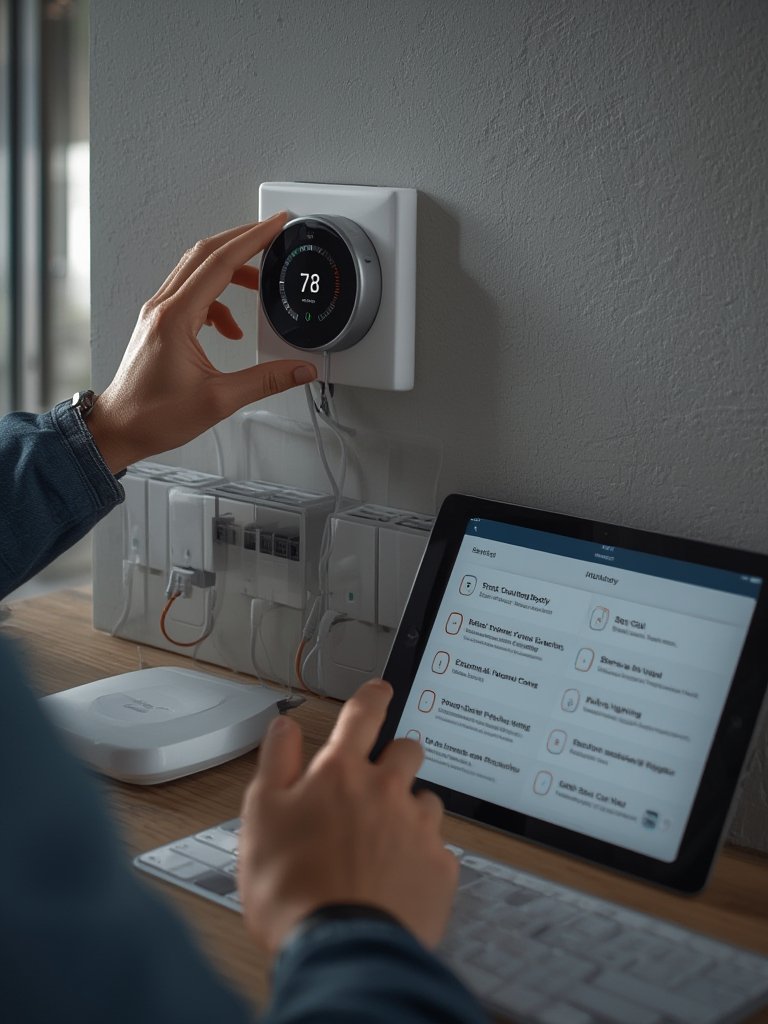
Want to integrate new automation with your current lighting or climate control? A consultation with an installer who offers custom design (not just standard packages) may help you achieve a more seamless, future-ready system. Many major retailers offer bundled installation with purchase, but read the fine print—advanced integration usually requires specialist expertise.
You can also explore how to interconnect upgrades with broader home improvement projects, such as those found in our kitchen remodel ideas guide or by planning coordinated home store shopping using our Home Depot and At Home shopping plan.
Advanced Analysis & Common Pitfalls: Costs, Compatibility, and Real User Problems
Choosing a smart home installation service isn’t just about price or the latest gadgets. Here’s what the latest research and real-world experience reveal about the most frequent pain points and why many installations underdeliver.
Common Pitfalls in Smart Home Installations
- Data Privacy & Security Risks: Over half of Americans worry about smart device data collection and hacking (source), but most installers don’t discuss how your network or apps can be compromised—make sure to ask about security best practices and device certifications such as Zigbee, Matter, and California Energy Commission compliance (source).
- Connectivity Problems: Over 50% of Americans have regular issues with device connectivity (source). Without a strong WiFi or mesh network, even expensive systems can work unreliably. Confirm your installer will test, not just install, everything before they leave.
- Hidden and Ongoing Costs: The average American spends $1,173 on professional installation and $1,200+ on devices themselves (source). Many homeowners are surprised by add-on fees for custom integrations, travel, or post-install visits for troubleshooting.
- Lack of Aftercare or Support: If something breaks or app updates cause issues, support can be hit-or-miss. Unlike large home improvement projects (as detailed in our bathroom remodel guide), warranty and ongoing tech help may be limited or nonexistent with some low-cost installers.
- Poor Integration with Existing Devices: Many installers only support a narrow list of brands or platforms, leaving legacy smart devices stranded. Always clarify up front if they can bridge your current setup into the new system.
Comparison: DIY vs. Professional Smart Home Installation
| Aspect | DIY Installation | Professional Installation |
|---|---|---|
| Average Cost | Lower upfront, but time-consuming Risk of mistakes |
$1,173+ installation cost plus devices May include warranty/support |
| Skill/Experience Needed | Moderate to High Must read instructions, troubleshoot |
Minimal Relies on pro expertise |
| Integration Quality | May miss advanced features or cause setup errors | Typically seamless Can advise on compatibility |
| Aftercare/Support | Limited May void warranties |
Varies by company Ask for details before hiring |
| Security & Data Privacy | You are responsible for safe setup | Should follow best practices, but verify credentials |
Other Critical Data Gaps and Questions to Ask
- Installer Qualifications: There is minimal publicly available info on mandatory training or certifications for installers—ask your provider if technicians are certified by device manufacturers or national associations.
- Regional Coverage: Service availability and adoption rates vary greatly by state. Urban and tech-forward regions lead, while rural areas may have fewer experienced installers and lower broadband quality.
- Customization & Design: Most installers offer fixed packages. If you want a tailored system, look for services that provide in-home consultations and custom design, similar to approaches seen in net zero home planning.
- Integration with Existing Systems: Migrating or expanding current smart home platforms can be tricky. Always get clarity before the install begins to avoid stranded devices or redundant systems.

Conclusion: Making Smart Home Installation Work for You
Professional smart home installation services can save you hours of frustration, unlock advanced automation features, and reduce costly mistakes—but only if you choose wisely, prepare thoroughly, and ask the right questions about costs, compatibility, privacy, and support. Always verify installer experience, insist on clear quotes, and don’t be afraid to walk away if a provider can’t answer tough questions. As smart home adoption continues to skyrocket, using smart home installation services is one of the most effective ways to future-proof your comfort and security. Ready to upgrade your space? Start with the guides and service tips referenced here, and book your consultation today for a smarter home tomorrow.
FAQ: Smart Home Installation Services
How much does professional smart home installation cost?
Most Americans spend $1,173 or more on professional installation, with device costs adding another $1,200+ on average. Custom features, advanced integration, or large homes will increase the total. Always get a detailed quote.
What should I look for when choosing an installer?
Check for strong reviews, proof of training or manufacturer certification, transparency on pricing, comprehensive support options, and familiarity with your chosen devices. Don’t settle for a one-size-fits-all package if your needs are unique.
Can my installer make all my devices work together?
Usually yes, but only if your devices follow common standards like Zigbee or Matter, and if the installer has interoperability experience. Share your current device list before booking to ensure compatibility.
Are smart home installations secure?
Professional installation should include a basic security setup, but privacy and data protection vary. Ask if your devices are certified (Zigbee, Matter), if networks are properly segmented, and if the installer will help you secure your login credentials.
What support do I get after installation?
Support policies differ widely. Some installers offer phone or on-site troubleshooting, while others only cover hardware defects. Clarify this up front, and keep all documentation for future service requests.